
Recent Work Screen
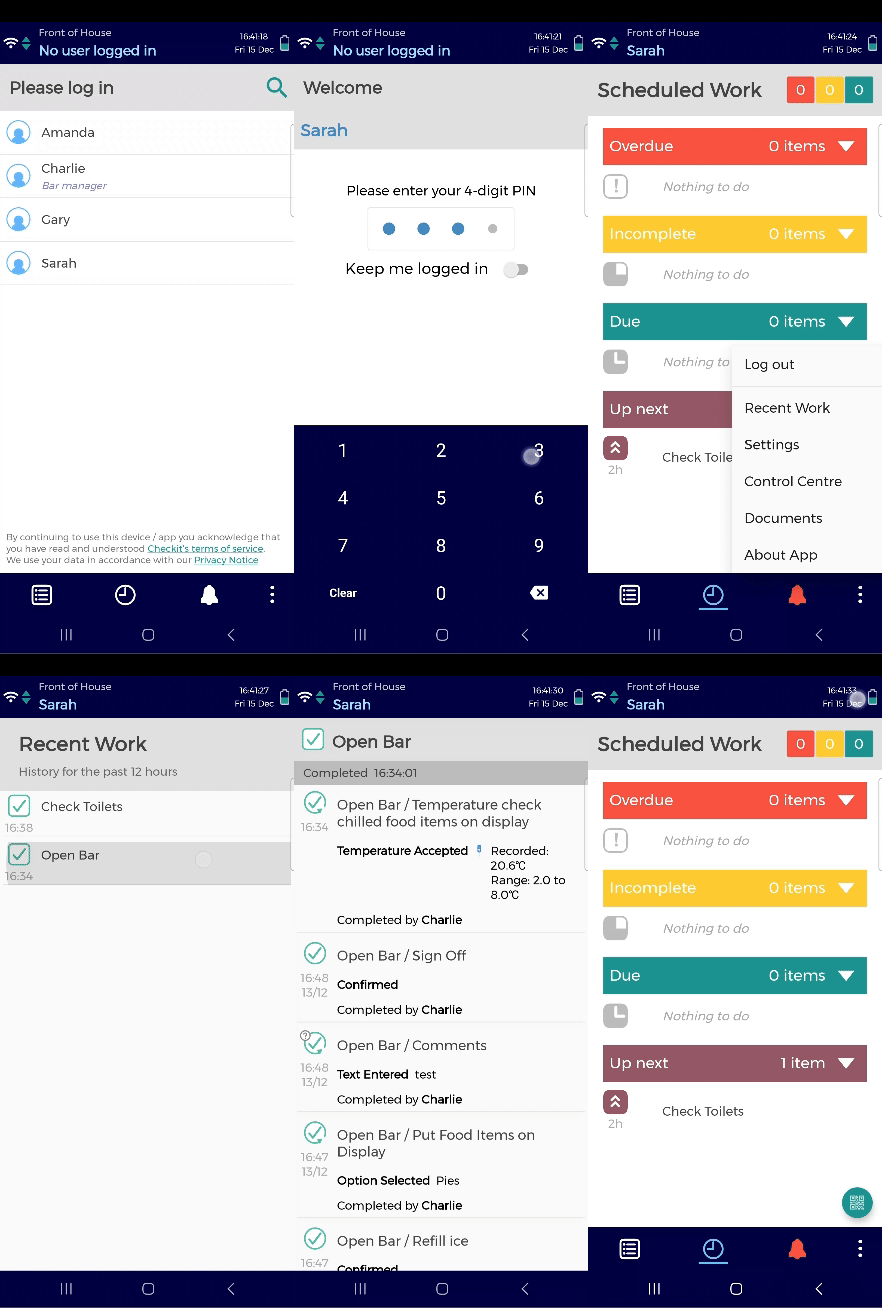
The recent work screen displays work that has been done at your location by your team in the past 12 hours. You may want to view this information, for example, when starting a shift.

Only Operators and Supervisors have access to the app.
To access the Recent Work screen:
Log in to the app using your 4-digit pin.
Tap the 3 vertical dots on the bottom right of the screen.
Tap Recent Work. You will see a list of checklists completed in order from most recent.
Tap on a checklist to see details of the completed checklist.